Savant Power & Light App - Software and Device Firmware Update Procedures
| Document Date: | July 2025 |
| Document Supports: | SP&L App 3.3 and higher |
Overview
Savant Power & Light App - Software and Device Firmware Update Procedures is one of several articles describing each of the functions within the SP&L app. Refer to the Savant Power & Light App (SP&L) – Initial Smart Panel Configuration for links to all available articles.
Follow the steps below to update the Director or Power Module FW.
Director & Devices
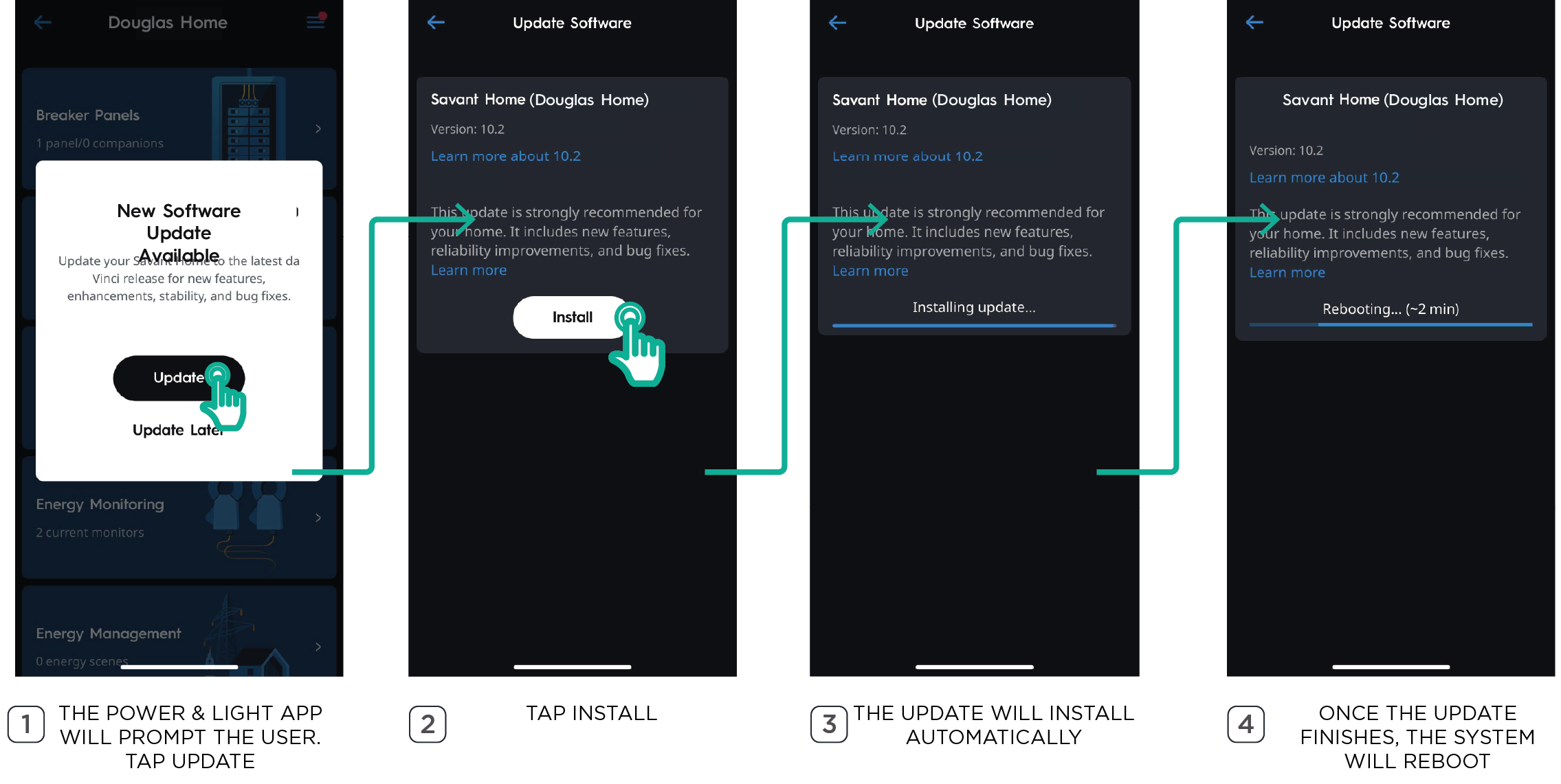
If updates are available, the Savant Power and Light app will automatically prompt the user to update Director software and any Savant devices within the Savant Power System whenever the Home is accessed.
NOTES:
- The Director Status LED may flash amber or green until the update is complete.
- Savant Power & Light app will not allow edits to the system while an update is in progress.
Power Modules - Firmware
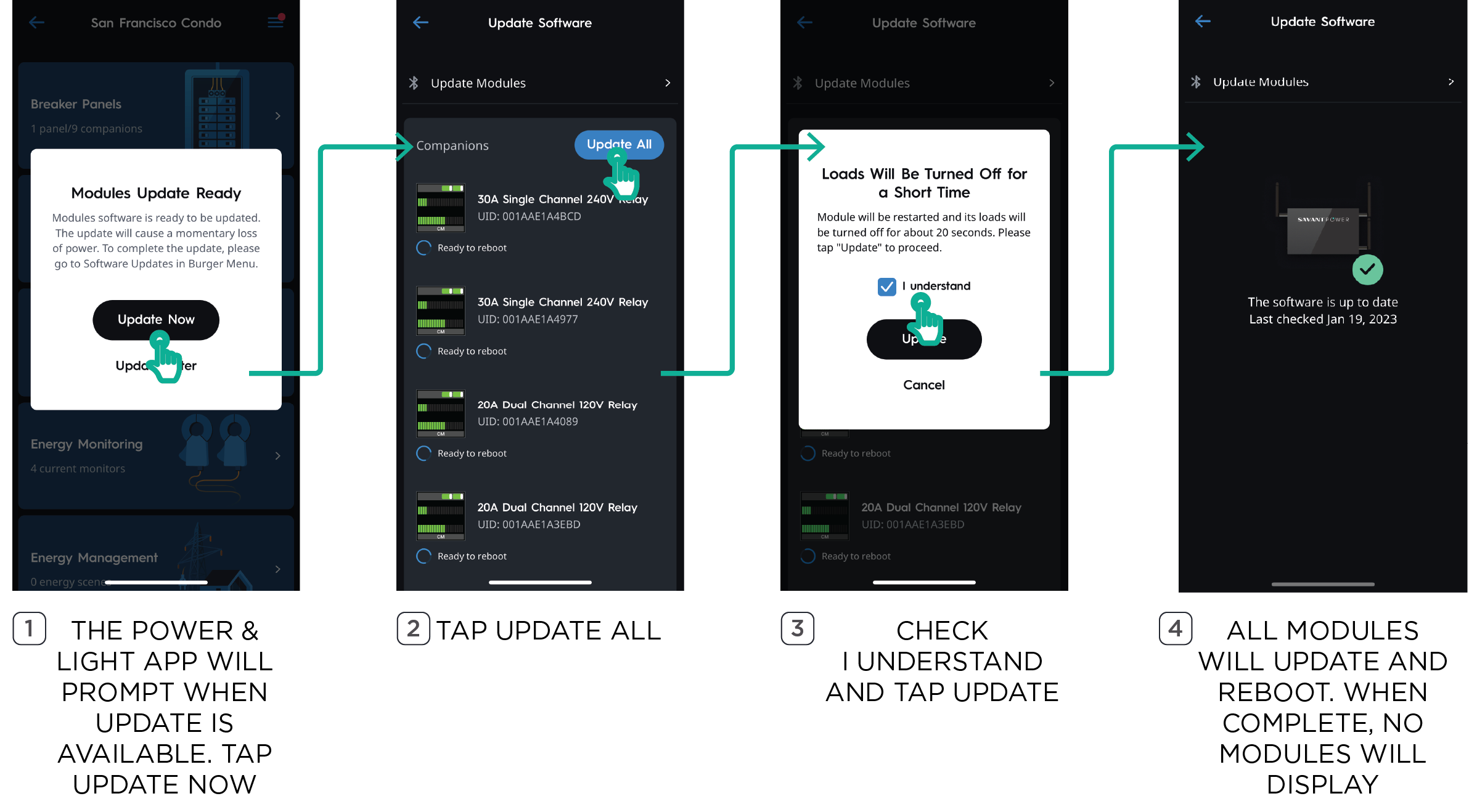
Power Modules may require a firmware update following a Director software update. The Director will automatically deliver the firmware update to the Power Modules. The time to download firmware to the modules can vary between 30 minutes to 2.5 hours depending on the number of modules. The Savant Power and Light app will indicate when the firmware update is ready to be completed:
IMPORTANT NOTE!: Power Modules will power off for about 20 seconds when completing the firmware update. All loads controlled by Power Modules will be temporarily turned off during this time.
- Power Modules shipped before SavantOS 11.1 will power off—including all loads controlled by the Power Modules—for approximately 20 seconds.
- Power Modules shipped after SavantOS 11.1 will not power off during firmware updates.
- (Optional) Contact Savant Support for guidance on updating Power Module firmware for existing equipment to eliminate the post-update power-cycle requirement