Savant Home Manager Reference Guide - Essentials Subscription
Document Date: November 2026
Overview
The Essentials Subscription for a Savant System can be configured within Savant Home Manager for the Savant System. Essentials unlocks full functionality of features available for a Savant System. For more information, see the Savant Essentials Subscription Feature Guide. The short video below describes the process, and the steps below guide the reader through the process.
Manage Subscription
- Access the Savant Home Manager by navigating to https://home.savant.com.
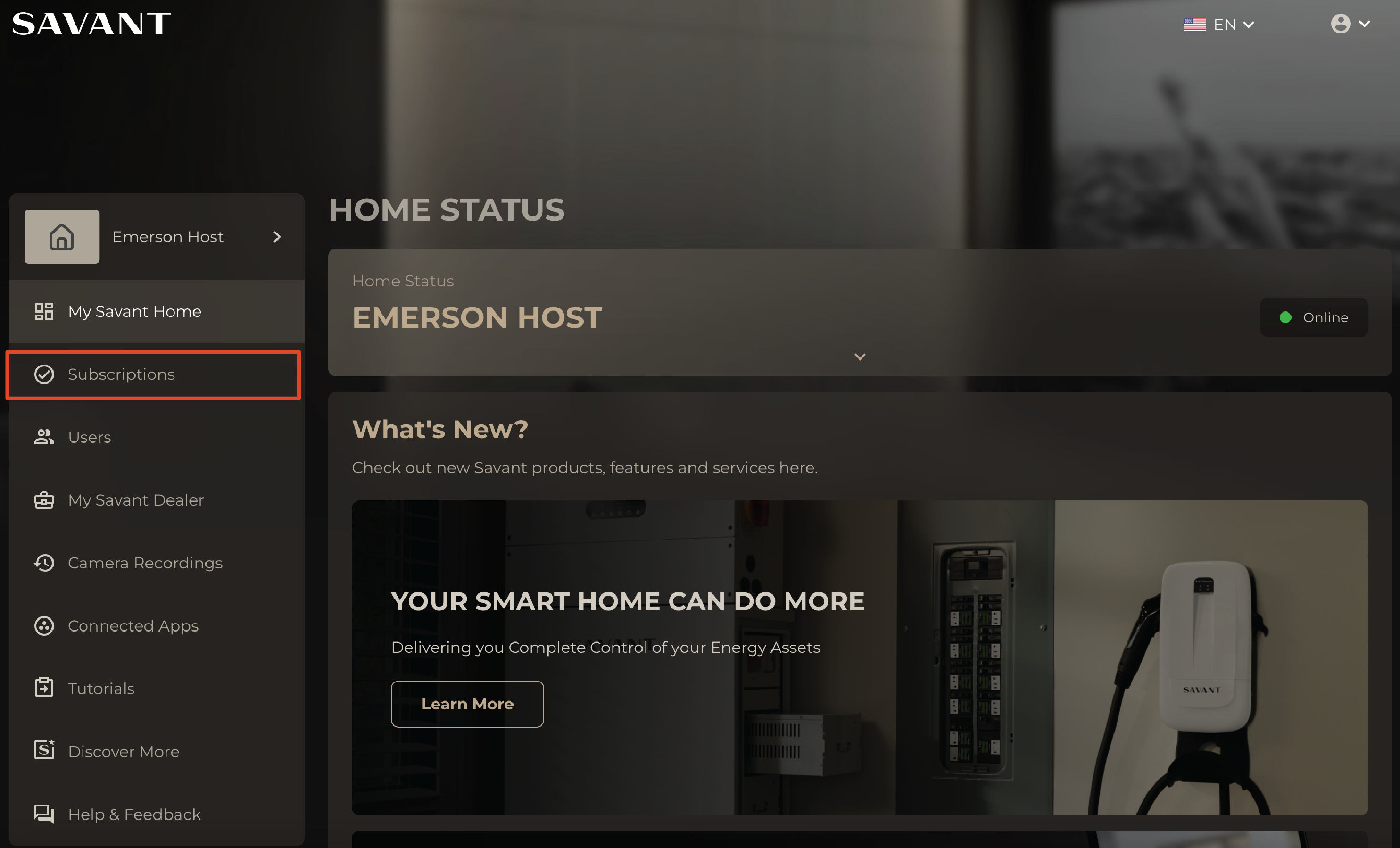
- Select the Host for the Savant System to use the Essentials Subscription.
- Click the Subsriptions tab.
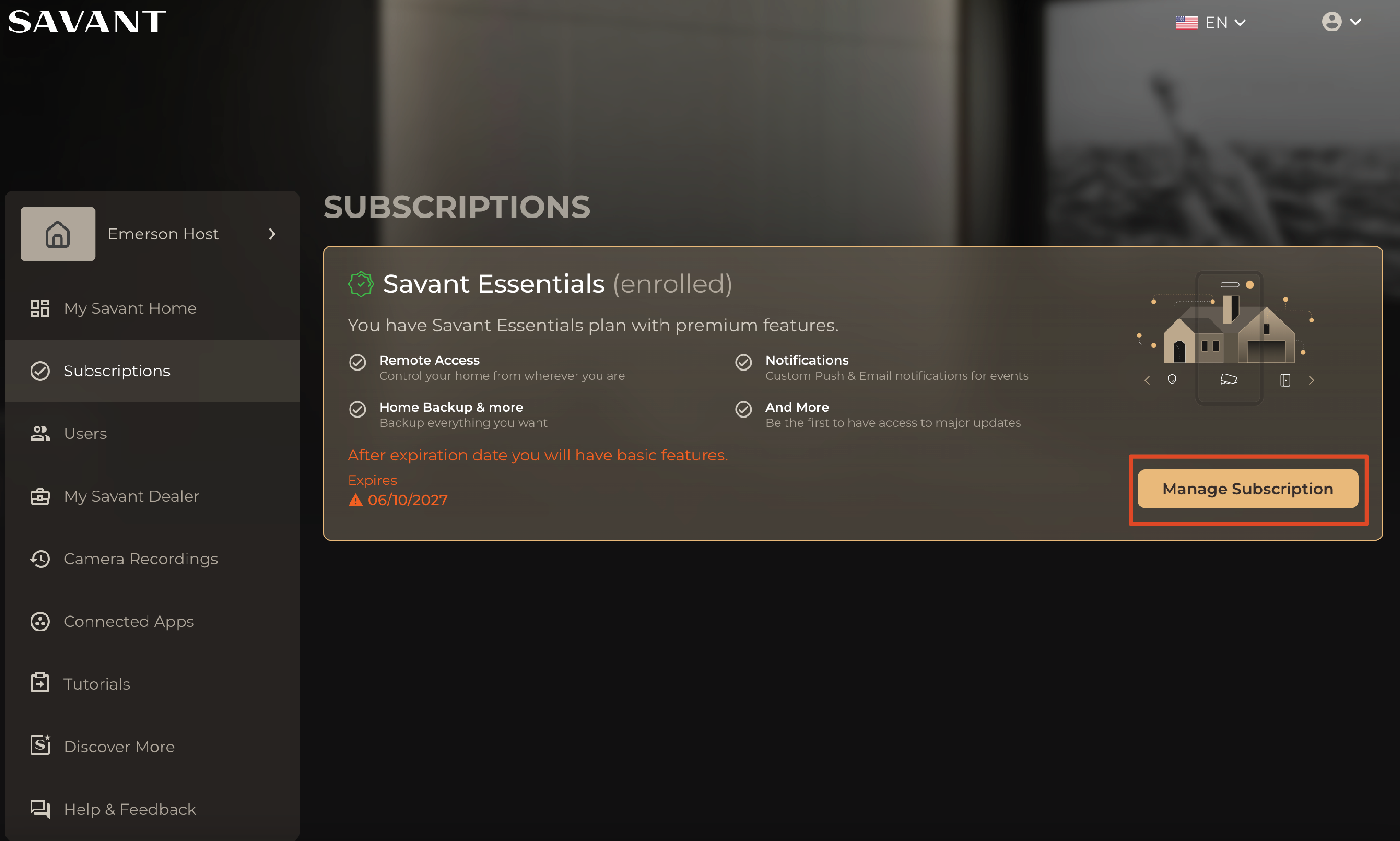
- Select Manage Subscription.
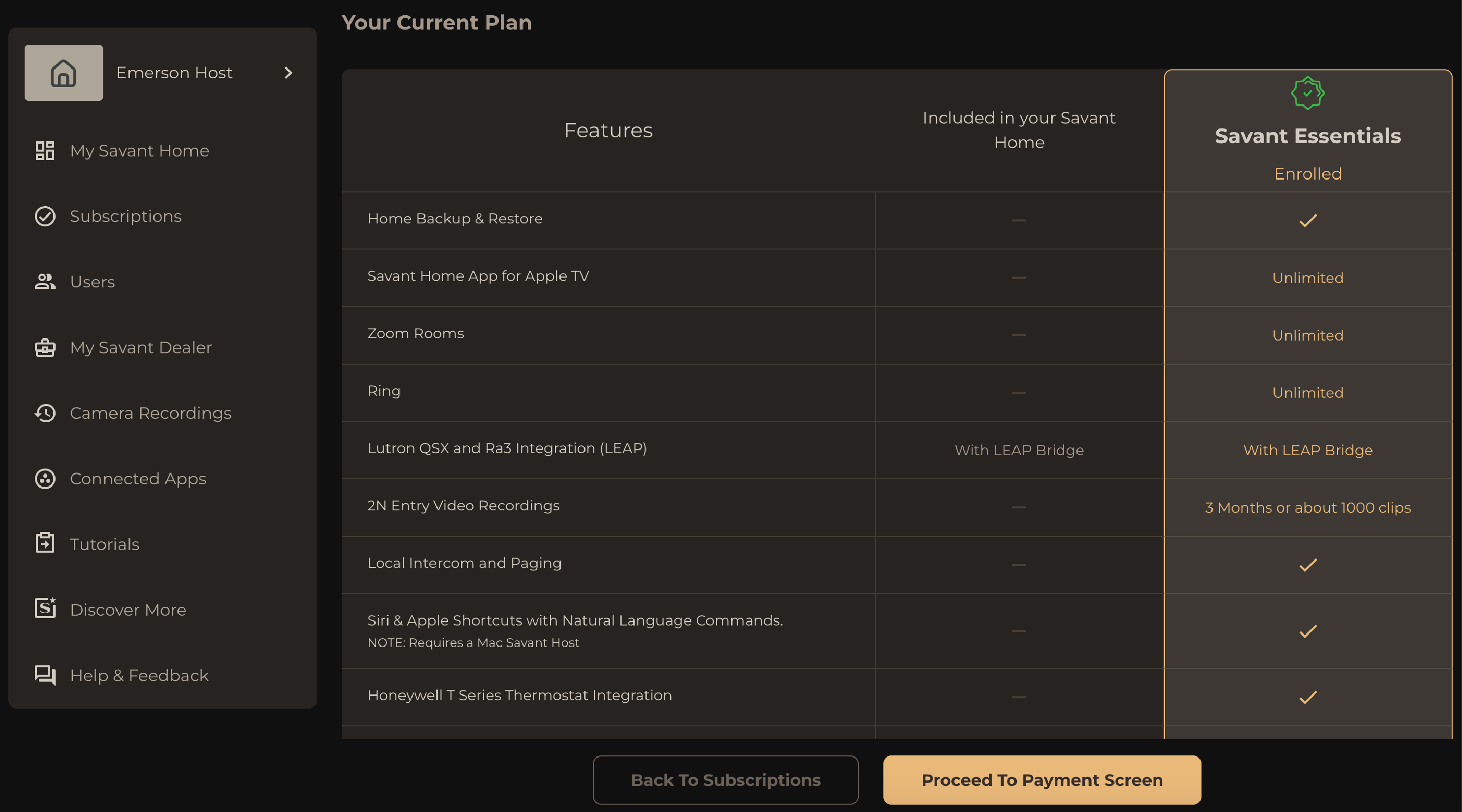
- Review the features available with an Essentials subscription. Then click Confirm.
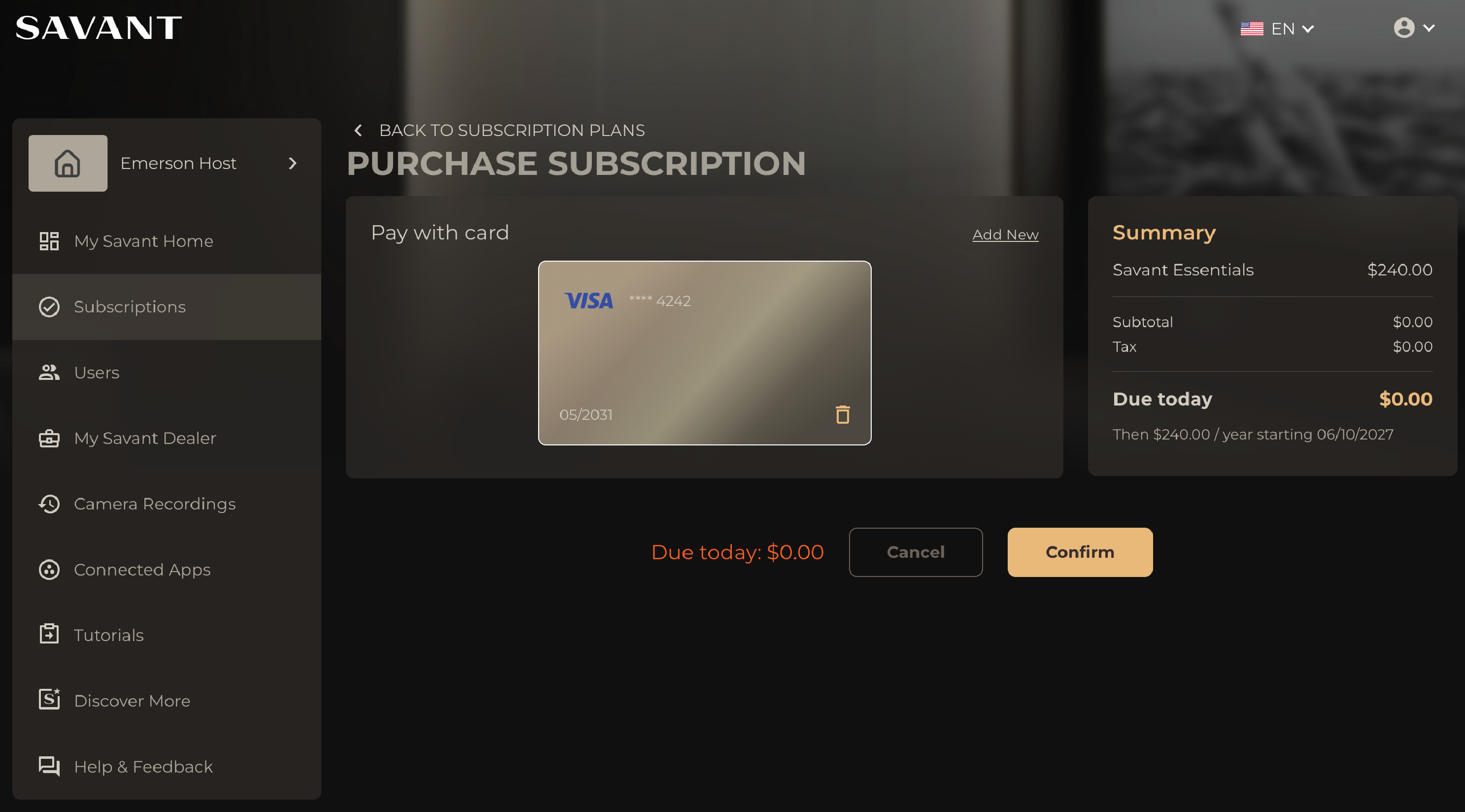
- Enter the payment information for the a card to be charged for the subscription.
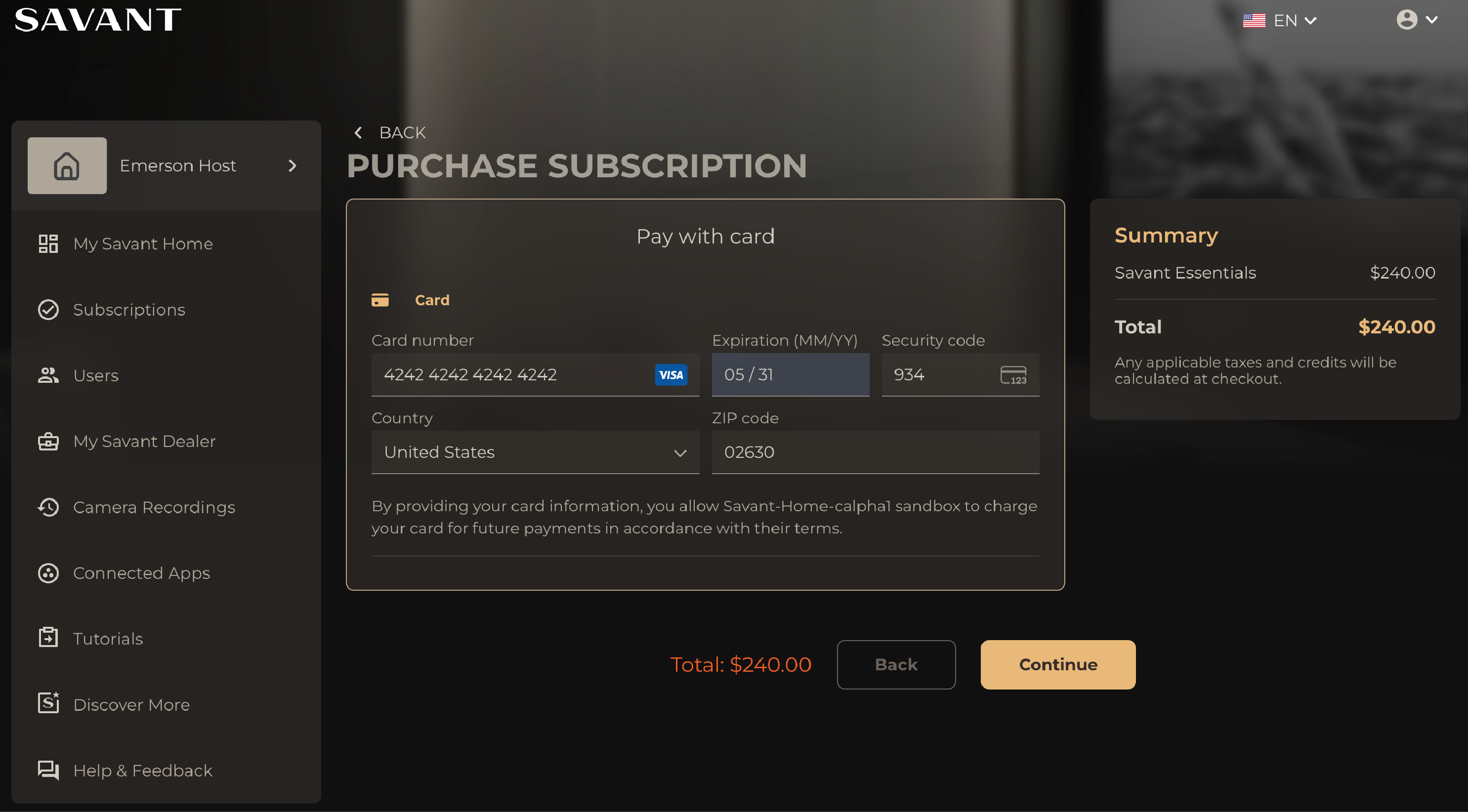
- Ensure the card information added is the card to be charged.
NOTE: Additional cards may be added here to ensure the Essentials subscription is not interrupted if card availability is changed. - Click Confirm to confirm payment information. This information can be changed at any time by selecting Manage Subscriptions on the main Home Manager screen or under or Accounts > Billing.