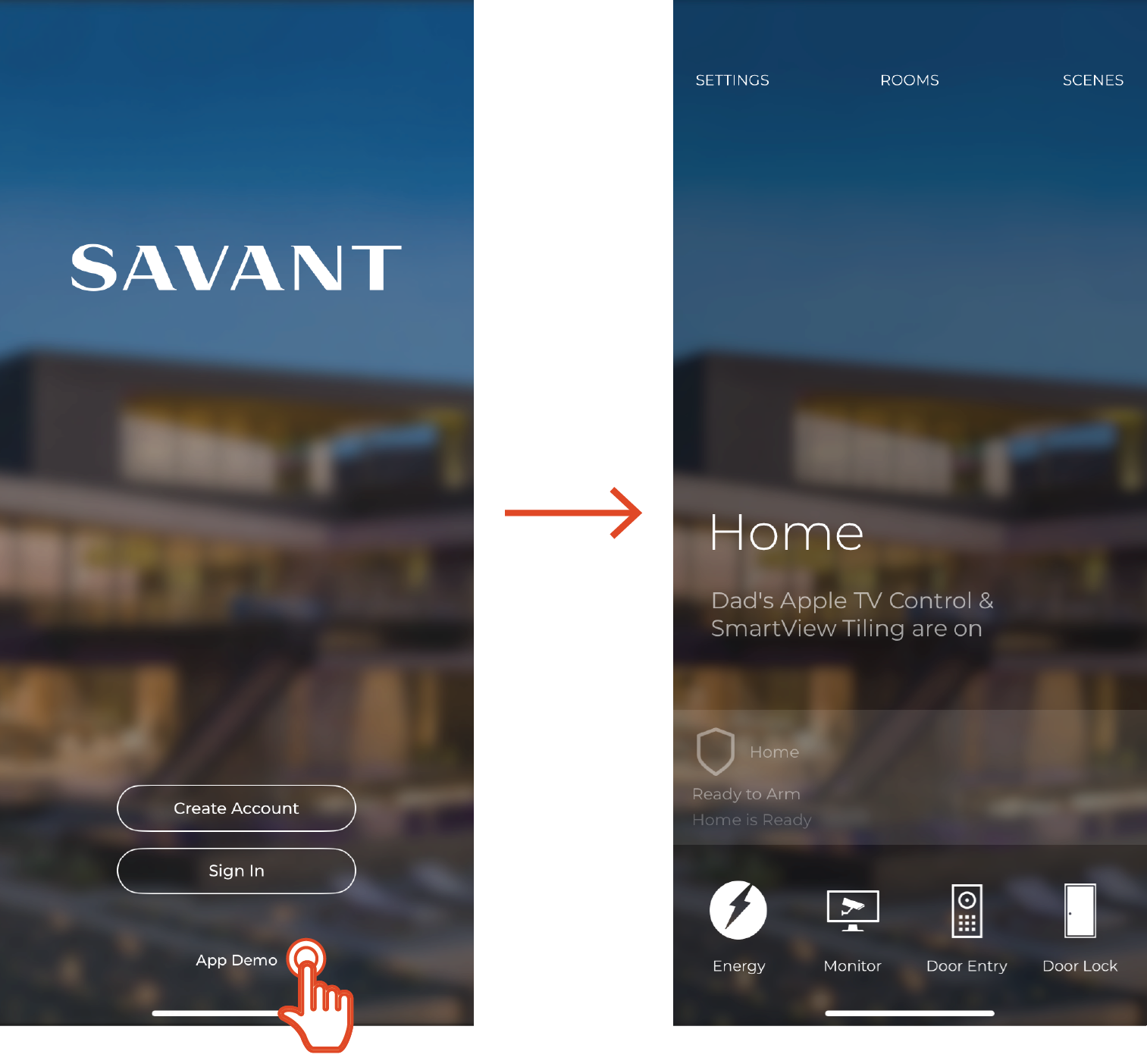
Savant App User Guide - Demo Mode
Document Date: August 2025
Overview & Log Out
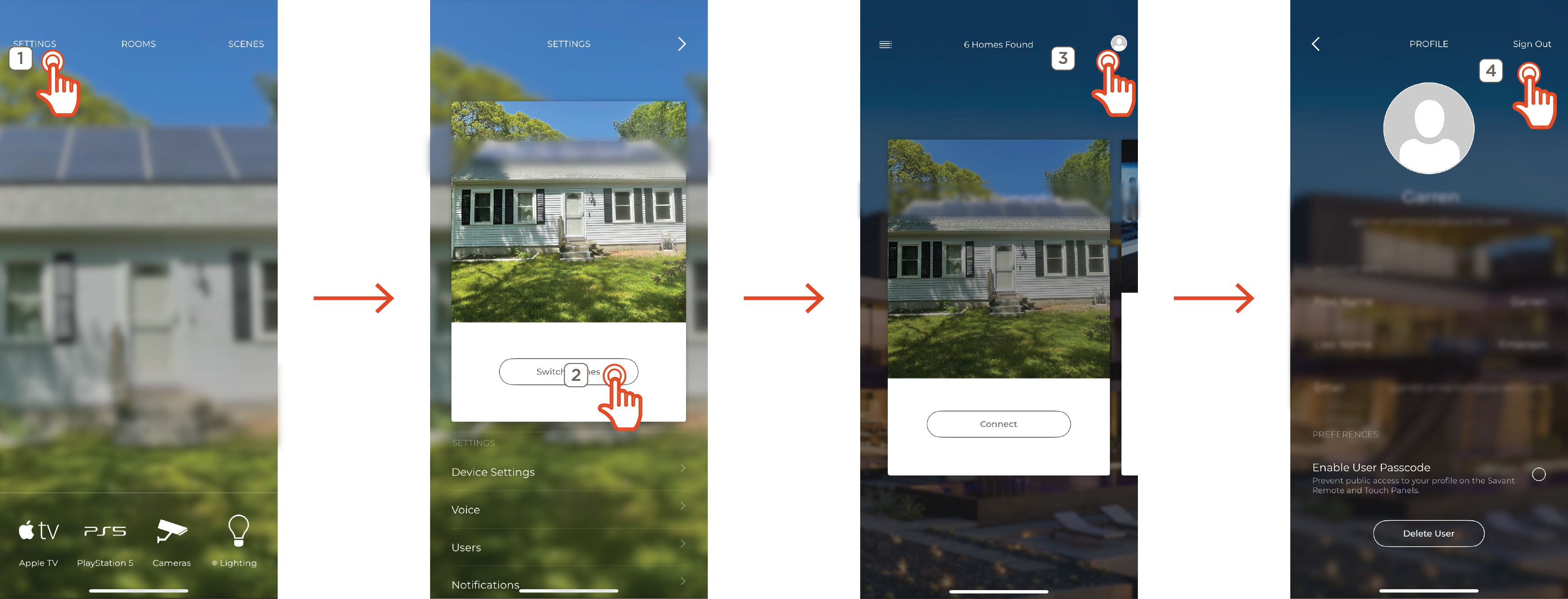
Demo Mode is used to represent a functioning Savant Home in the Savant app. This may include functions that are not available in your Savant Home. To access Demo Mode, you must be logged out of an account. To log out, do the following:
- Tap Settings
- Tap Switch Homes
- Tap the profile icon in the top right
- Tap Log Out
Demo Mode
Placing the Savant app into Demo Mode causes the app to simulate a Savant Home with commonly available services. This allows a user to preview the Savant app experience without requiring an account or system.
NOTE: Not all services displayed within Demo Mode may be available for use. Contact your Savant Dealer for more information