Savant Power - Extended Battery Module Storage Procedure
| Document Date: | September 2025 |
Overview
This article describes best practices and storage procedure for Savant Power Storage 20 and Power Storage 50 battery modules. For more information on charging modules see Savant Power Storage Battery Charger Module Quick Reference Guide.
Storage Conditions
The PS20 / PS50 battery modules and equipment should be stored between 50°F - 90°F with 5%-80% humidity (non condensing) to maximize battery longevity. In any storage condition, battery modules will slowly deplete State of Charge (SoC) over time and need to be recharged.
New stock stored for more than 9 months should be tested and/or recharged before deployment. Savant recommends testing battery modules in storage every 9 months.
Battery modules which have previously been deployed are to be charged to 50% before being placed into storage.
Battery Module Test Procedure
Option 1: Check Module Status with PS20 Enclosure
Required Materials:
- Power Storage 20 Enclosure
- Power Storage 20 Battery Modules (to be tested)
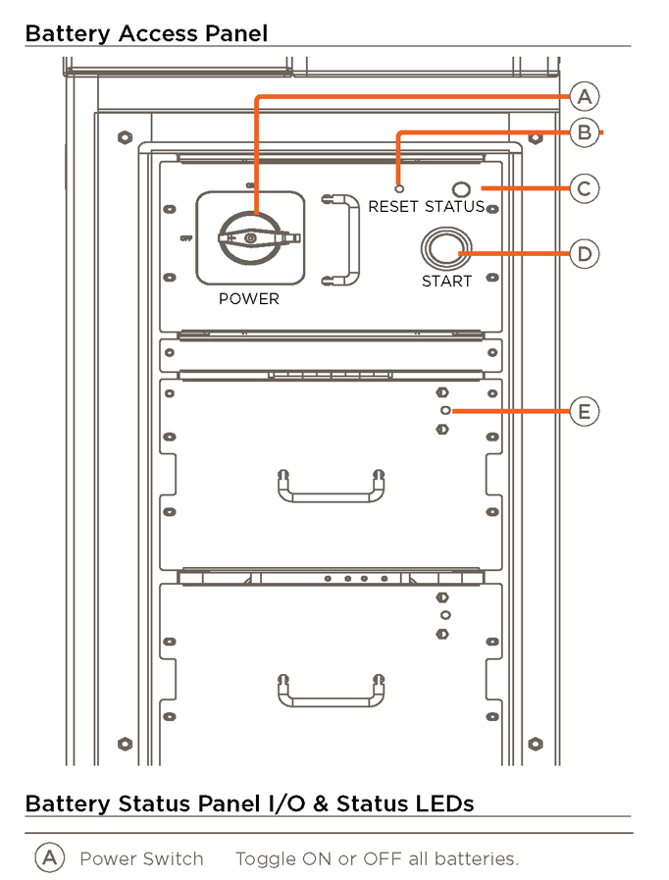 Figure 1 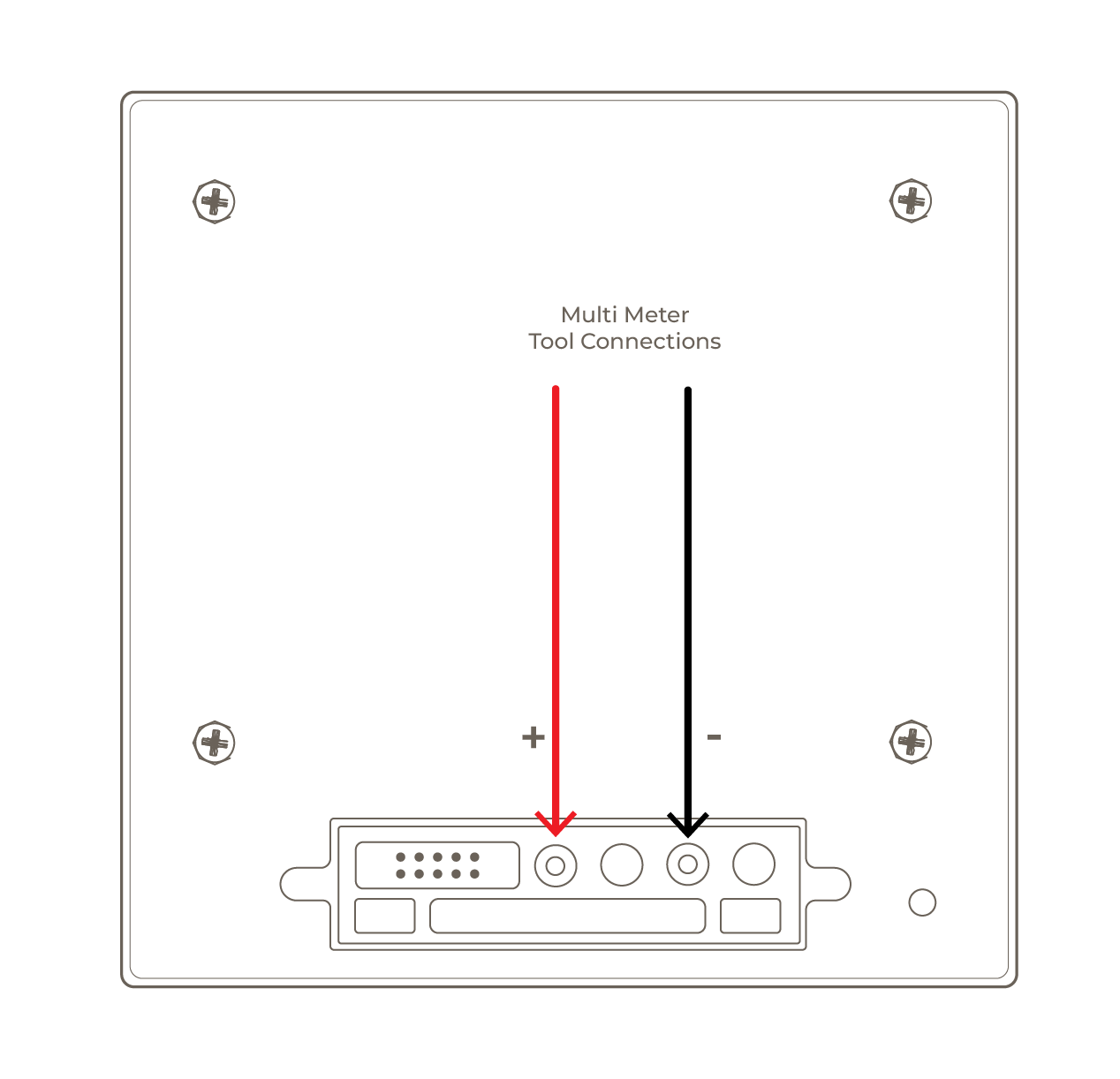 Figure 2 Use a multi meter to measure the module voltage. |
|
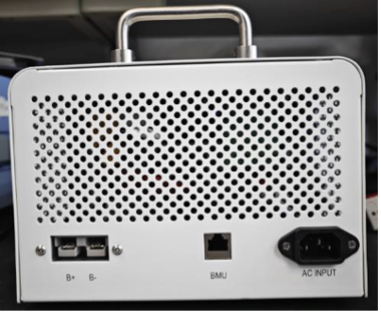
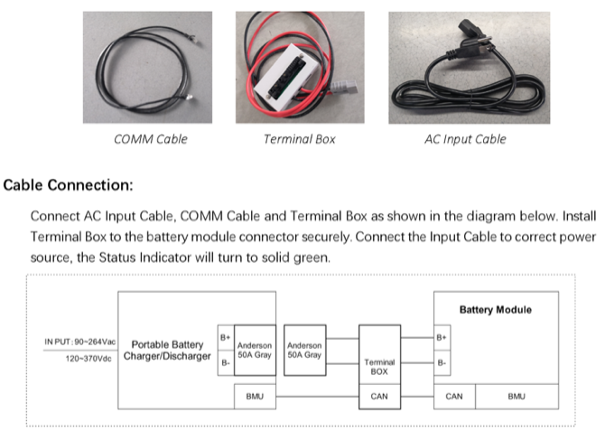
Option 2: Check Module Status with Savant Battery Charger
  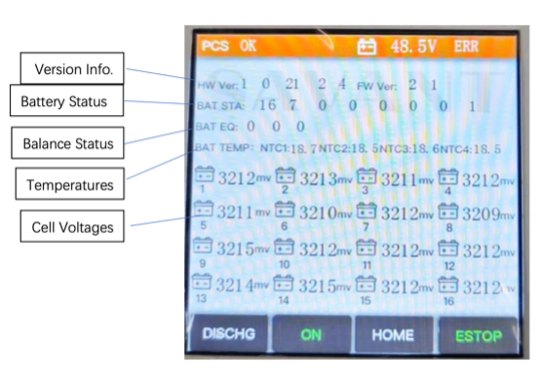 |
|
NOTE:
Battery Module Chargers are available for purchase on the Savant Store (PS20-BATT-CHARGER-00). For some RMA cases, a charger can be borrowed for a short period of time through Savant Support. In these scenarios, submit a Support Case requesting the battery charger and provide the SN#’s of each battery module and each battery module voltage.
Battery Modules Recharge Procedure
- Unpack a set of 8 Power Storage 20 Battery Modules & remove protective film from rear of modules.
NOTE: Do not mix modules from different boxes/batches. - Attach Savant Battery Charger to an individual module (see Savant Power Storage Battery Charger Module Quick Reference Guide)
- Power on Savant Battery Charger. The battery module LED will turn yellow, then flashing blue.
- Check the status of the Module Status LED (E):
- Green: Normal Operation
- Yellow: Internal diagnostic fault
- Red: Internal diagnostic fault
- Not Lit: Module is below minimum voltage – contact support (see step 6)
- Charge the entire group of 8 modules using the Savant Battery Charger (PS20-BATT-CHARGER-00). See Savant Power Storage Battery Charger Module Quick Reference Guide for details. This will ensure all battery modules have the same SoC before deployment.
NOTE: All modules must be charged to the same level. Charging the modules to 100% before deployment ensures SoC is the same across all modules, as they may have become unbalanced during storage. Do not mix batches or mix modules with different charge levels. - Provide SN#’s and voltage readings (see Figure 2) of any modules that are being submitted for RMA.